Governance overview
What governance covers, where each control lives, and the one idea behind all of it — an allow-list, not a warning.
Organization → Governance.
What Madebook is permitted to do with this organization's code, checked before any external call is made.
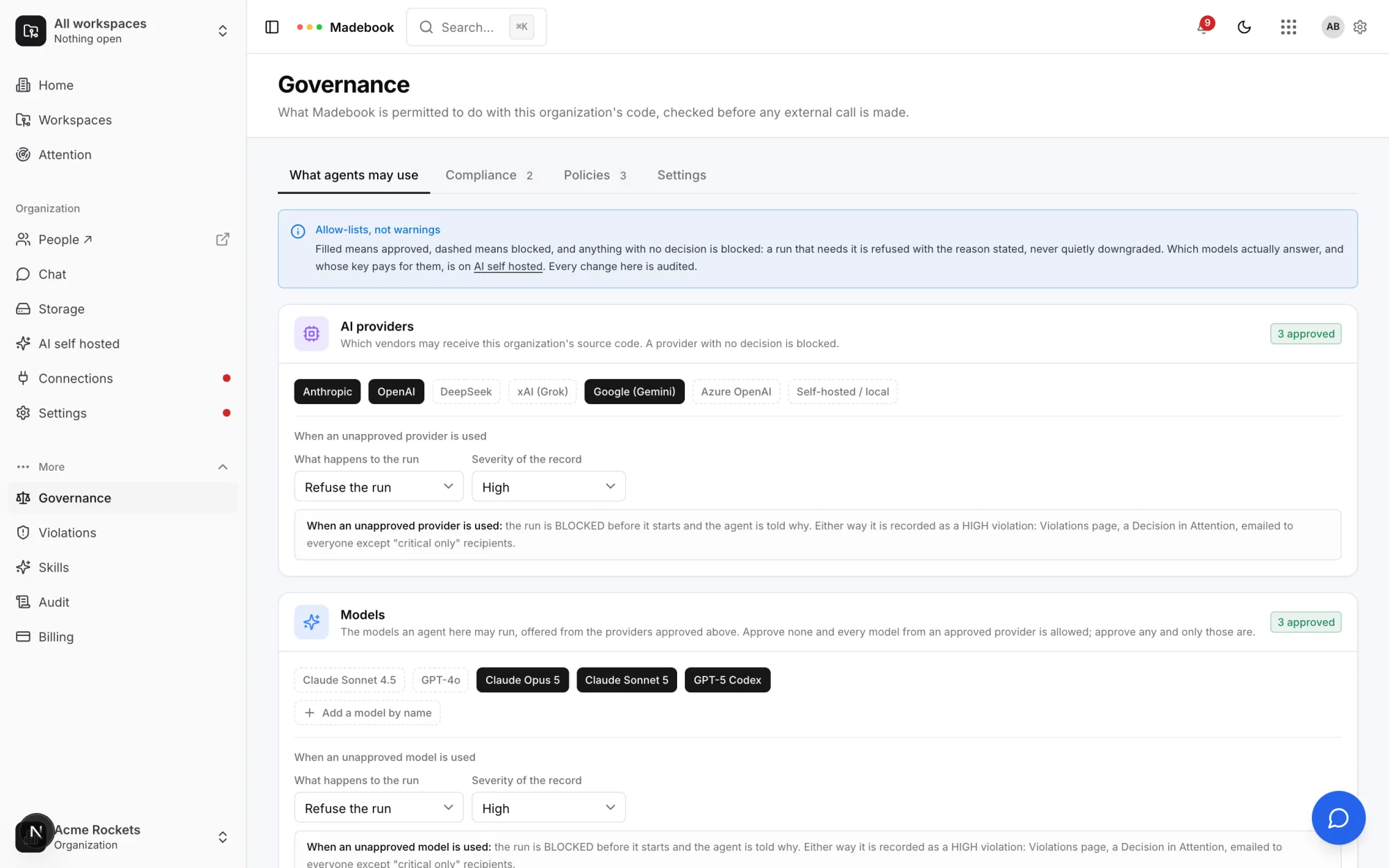
Each tab carries one callout — the idea that tab follows from — rather than every idea stacked at the top. On What agents may use it is the one everything else follows from:
Allow-lists, not warnings. Filled means approved, dashed means blocked, and anything with no decision is blocked: a run that needs it is refused with the reason stated, never quietly downgraded. Which models actually answer, and whose key pays for them, is on AI self hosted. Every change here is audited.
Governance says what an agent MAY use. It does not say what actually answers. Which models are configured, and whose key pays for them, is on the organization's AI self hosted page at the Bookbag account service, not in Madebook — see AI configuration. The AI self hosted link in the callout above still points at Madebook's old address, which redirects there. The two lists must agree: a model that is configured but not approved is refused here; a model that is approved but not configured has nothing to run on.
And neither of them is what caps spending. A model may be approved here, configured there, and still be refused because the account is over its token allowance — a separate limit, at the account service, on what the platform is willing to pay for. An organization running on its own provider key is never subject to it.
Four tabs
| Tab | What it holds |
|---|---|
| What agents may use | AI providers, models and coding clients — plus what happens when an unapproved one is used. |
| Compliance | Framework names your policies can cite. Categories, not enforcement. See below. |
| Policies | The rules, their triggers, and what happens when one fires. |
| Settings | Who is emailed about violations, telemetry, source retention, and whether a second person must publish policy changes. Only shown to people who can manage policies. The one-file data export that used to live here is replaced by the signed exports on Audit. |
In the sidebar this page is Policies and approvals. The rest of the Governance section is its own pages: the governance journey (the ordered path to a governed organization), Coverage (which work is judged at all), Outcomes (whether governing it changed anything), Approval rules and Exceptions (both on The compliance check), Violations, Skills and Audit.
Compliance frameworks
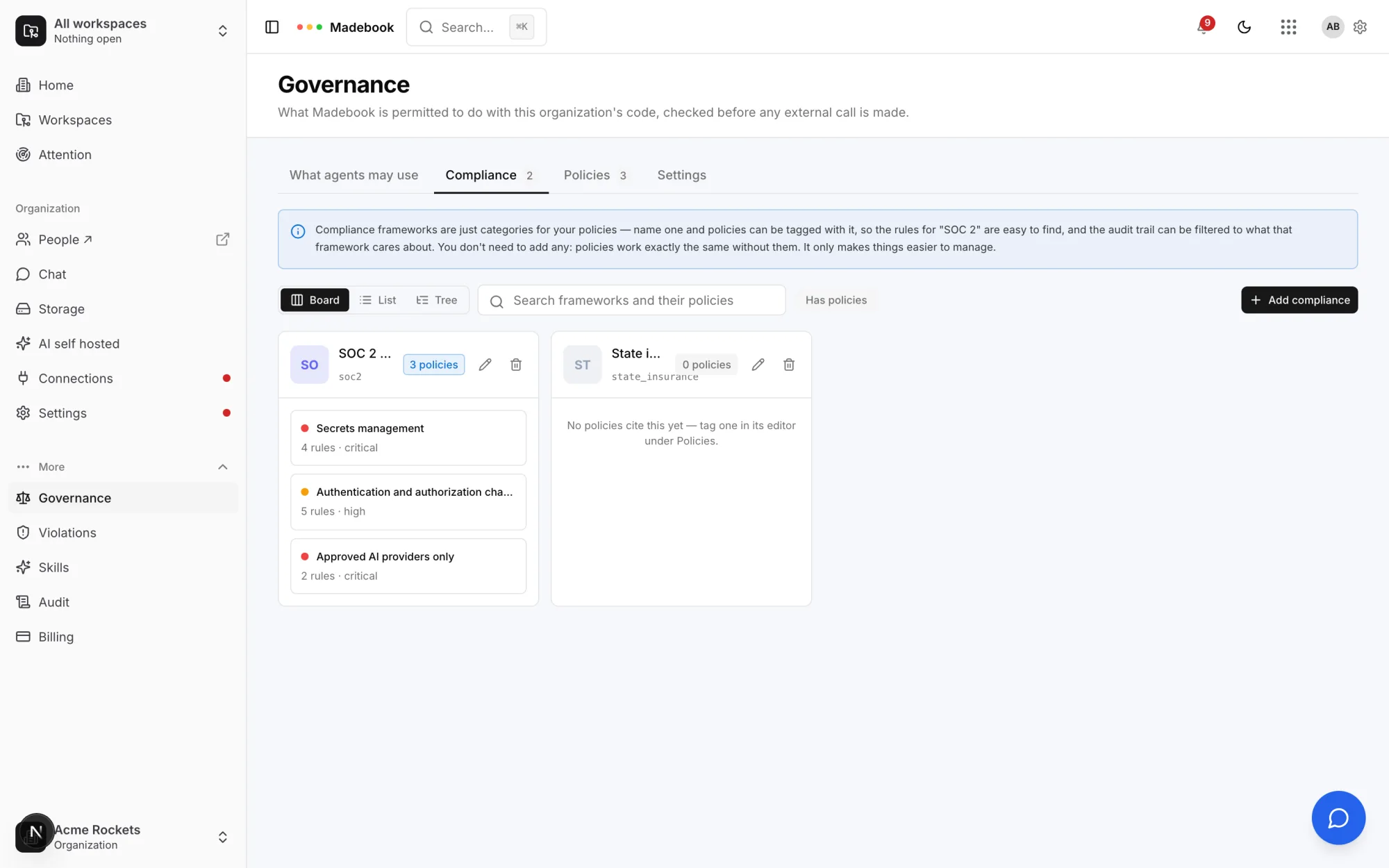
The tab's own callout says what a framework is:
Compliance frameworks are just categories for your policies — name one and policies can be tagged with it, so the rules for "SOC 2" are easy to find, and the audit trail can be filtered to what that framework cares about. You don't need to add any: policies work exactly the same without them. It only makes things easier to manage.
Add a framework and the pencil on an existing one open the same three fields:
| Field | What it is |
|---|---|
| Framework | The name people see — SOC 2 Type II. Required. |
| Key | The short identifier policies cite — soc2. Optional; defaults to the name. |
| What it means for this work | A sentence on what the framework asks of this organization's code. Optional. |
Editing needs governance.manage_compliance — owner and admin. Renaming a framework does not detach the policies tagged with it.
Who can change what
| Action | Capability | Roles |
|---|---|---|
| Read anything on this page | governance.read |
all four |
| Approve a provider, model or client; set enforcement | governance.manage_providers |
owner, admin |
| Write, edit, retire, delete or import a policy | governance.manage_policies |
owner, admin |
| Resolve, accept or dismiss a violation | governance.manage_policies |
owner, admin |
| Set violation recipients, telemetry and retention; require second-person review | governance.manage_policies |
owner, admin |
| Set approval rules; approve, revoke or review an exception | governance.manage_policies |
owner, admin |
| Read Coverage, Outcomes and the governance journey | governance.read |
all four |
| Name a compliance framework | governance.manage_compliance |
owner, admin |
Everyone can read the rules they are held to. Only owners and admins write them.
The three evaluation points
Governance is not one check. It runs at three moments, and each one answers a different question.
| When | What is checked | What happens |
|---|---|---|
| Before any model request is built | Provider, model and client allow-lists — both the tables and any allow-list policy rules. | The request is refused, with the rule named. It never reaches a vendor. |
| When a change is analysed | Path triggers, forbidden dependencies, secret patterns. | A violation is recorded, and the change's review gate is raised. |
| At the evidence gate | The require_* actions of every policy that fired. |
Each becomes an evidence requirement the change must satisfy before it can ship. |
| On the pull request's head commit | Everything above, plus independent approvals, owners and exceptions. | The madebook/compliance check passes or fails. See The compliance check. |
Every evaluation returns what fired and why. Nothing is a silent downgrade. One rule engine serves all four moments, and a policy in its monitor stage is recorded at each of them without adding a gate or a block — see Policy rollout.
Approval is the allow-list, at every level
The same principle runs through the whole product:
- A constitution raises no deviation until a lead approves it.
- An agent cannot be registered against a mission until its contract is approved.
- A model, provider or client is refused unless the organization approved it.
- A skill does nothing until it is published and a workspace switches it on.
- A proposed decision reaches no brief until a lead records it.
If something holds agents to account, it starts as a draft and a person approves it — never the other way round.
The workspace side
A workspace has its own Governance page, which does not write policies. It decides which of the organization's policies this workspace enforces.
The organization approves policies for use; this workspace enforces them. All of them by default — or exactly the ones you choose.
See Policies for how that works.
The setup checklist
Until governance is set up, the organization's sidebar carries a red dot with these reasons:
- "No AI provider is approved — every AI run for this organization is refused."
- "No model is approved."
- "No coding client is approved — no agent session can open."
- "No policies. Start from a template."